
Recording and replay
Record a drive together with the traffic around you; pause and resume the recording. Replay with seeking and speed from 0.5× to 4×. Recordings are stored by the game itself, so you can watch them as many times as you like.

Record a trip once and film it from any angle: watch the drive again together with the traffic, place the camera on points and get a finished video. Everything works in windows over the game, all features are free.
From recording a drive to a finished video: everything for beautiful shots.
Record a drive together with the traffic around you; pause and resume the recording. Replay with seeking and speed from 0.5× to 4×. Recordings are stored by the game itself, so you can watch them as many times as you like.
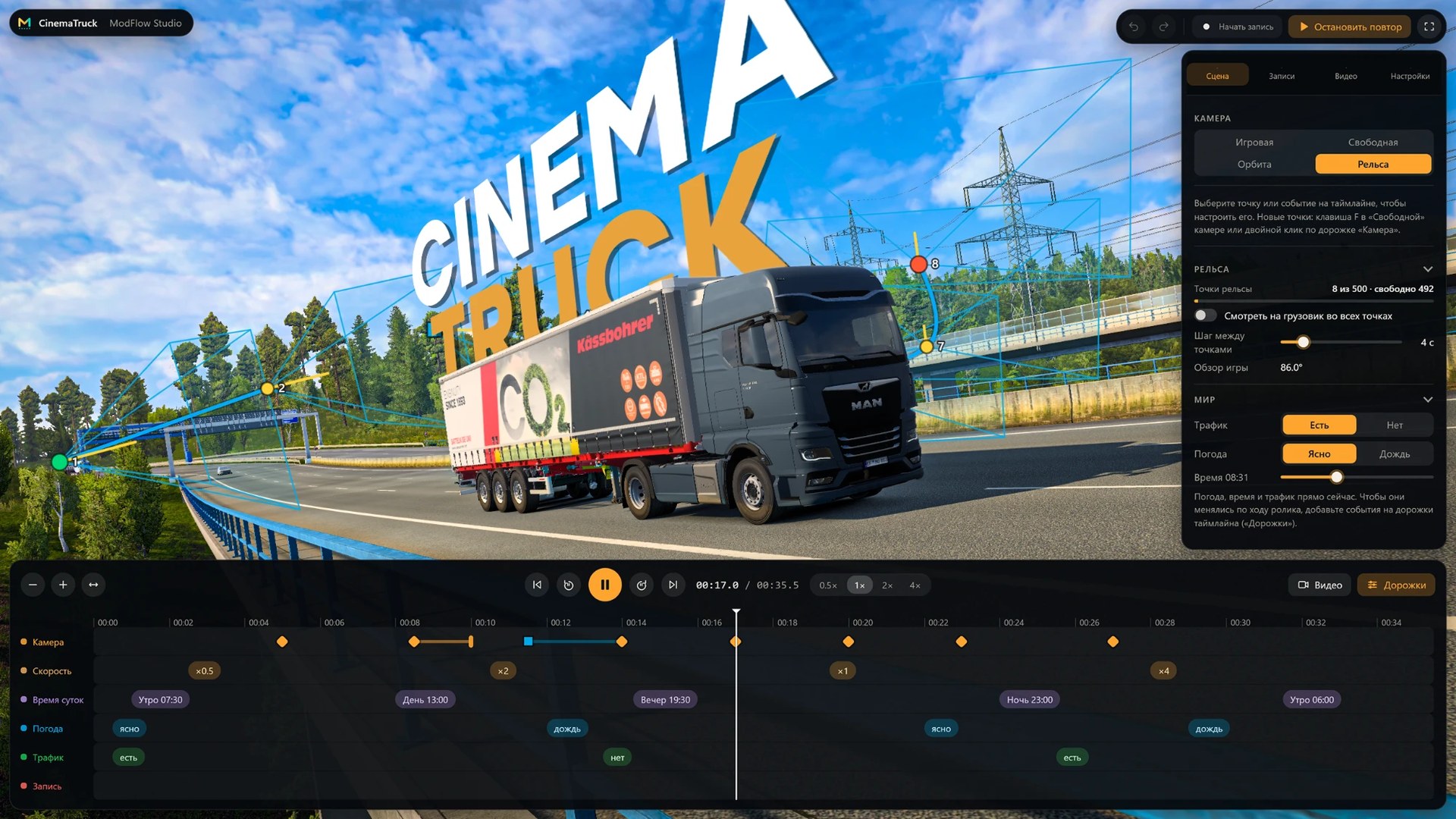
Free camera (fly with WASD), “Orbit” around the truck and “Rail”: place smooth-flight points and static shots, and the camera flies through them in sync with the replay. Up to 500 points.
Every point has its own settings: roll, field of view, focus blur, look at the truck, segment speed and hold time.
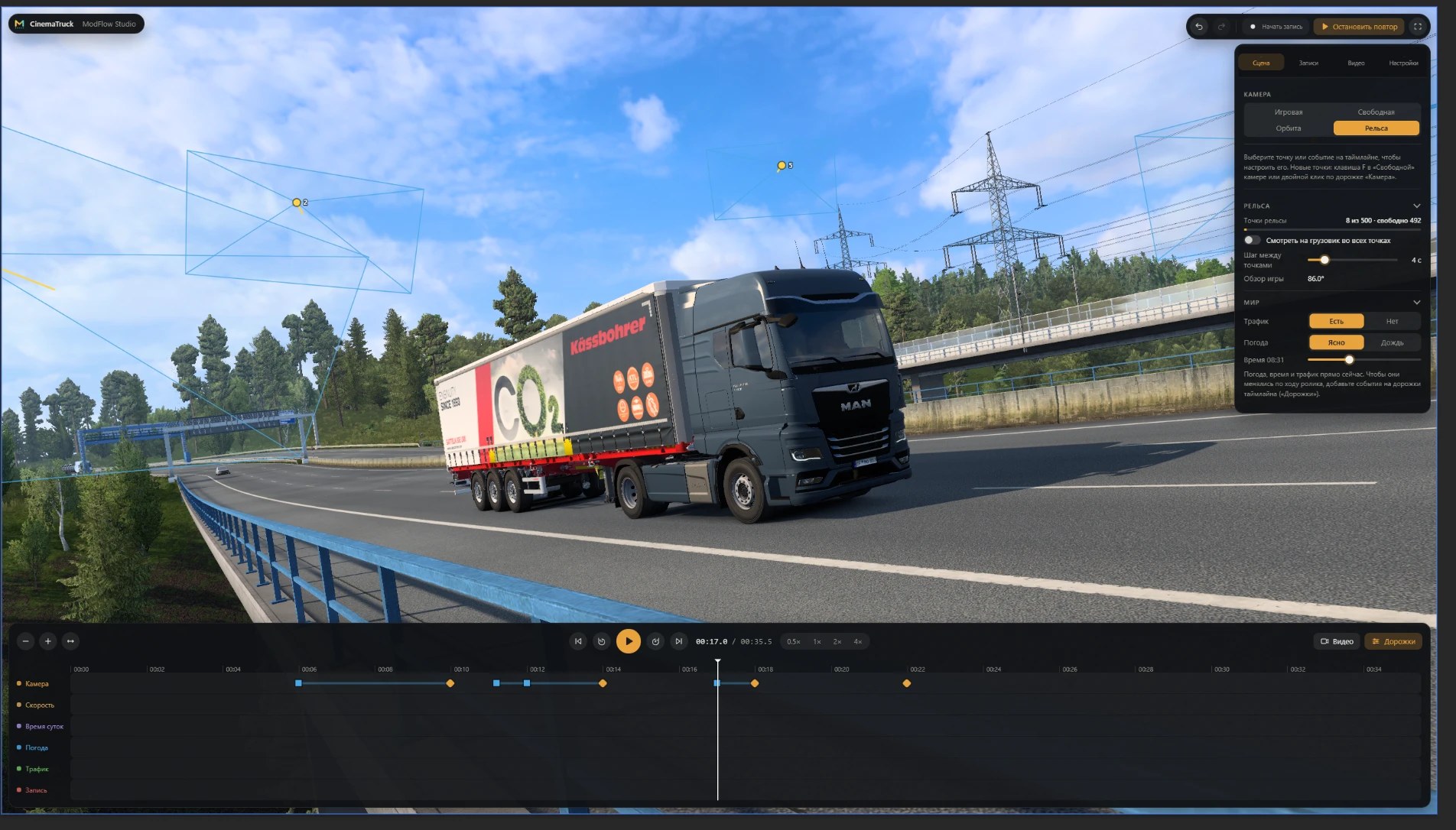
A full-screen editor over the game: move points, select them in groups, undo and redo. Weather, time of day, traffic and replay speed change during the clip: just add an event on the timeline.
Rendering at a steady frame rate (24, 30 or 60) without the game interface. Encoding with Windows’ own encoder, fast when the video card supports it. The finished video is saved to “Videos\CinemaTruck”.
Shortcuts can be changed, key hints in the screen corner can be turned off. Russian and English, scale 100–150%. In TruckersMP multiplayer the program switches itself off.
Real program windows. Click a picture to enlarge it.
From the first recording to a finished clip in five steps.
Press Ctrl+Alt+E, then “Start recording” and drive. At the end stop with the parking brake and press “Stop recording”.
Ctrl+Alt+R, “Recordings” tab: pick the recording and press “Start replay”.
“Free” camera: fly to a nice angle and press F (smooth flight) or G (static shot). Place several points this way.
The “Rail” camera flies through your points. Fine-tune roll, view and timing in the editor.
“Video” tab → “Render video”. The finished file appears in “Videos\CinemaTruck”.
Version 0.9.0 is a beta. We would love your feedback: write to us on Telegram or Discord.
The installer finds the game by itself and puts one plugin file into its folder.
You need Windows 10 or 11 and Euro Truck Simulator 2 from Steam (tested on version 1.62). Single player only.
No. The program has no paid publisher signature, and the plugin works inside the game, so protection may get suspicious. Click “More info” and “Run anyway”. You can check the installer on VirusTotal; the SHA-256 checksum is shown next to the file in the release.
“OK”. It is a standard game window shown on every start with any plugin.
No: the program switches itself off in multiplayer so that nothing in the game is changed. It works in single player only.
Not yet, only Euro Truck Simulator 2 from Steam.
Recordings: Documents\Euro Truck Simulator 2\saved_replays. Camera points and settings: Documents\CinemaTruck. Videos: Videos\CinemaTruck.
For H.265 Windows may need the HEVC extension from Microsoft. H.264 video works without it.
In the editor open “Settings” → “Collect diagnostics” (the same is in the tray icon menu) and attach the archive to an issue on GitHub or a message on Discord. The archive stays on your computer until you send it yourself.

CinemaTruck is made by ModFlow Studio. We post update news, developer replies and help in our channels.
Thanks to everyone who supported the project.