Auto-order with explanationsCrash analysis in plain wordsAll mods in one windowBuilds and checksProfile editorTwo games in one programAnd much moreAuto-order with explanationsCrash analysis in plain wordsAll mods in one windowBuilds and checksProfile editorTwo games in one programAnd much more
Our project: ETS|ATS Mod Manager
A mod manager for Euro Truck Simulator 2 and American Truck Simulator: this is how we build programs for players.
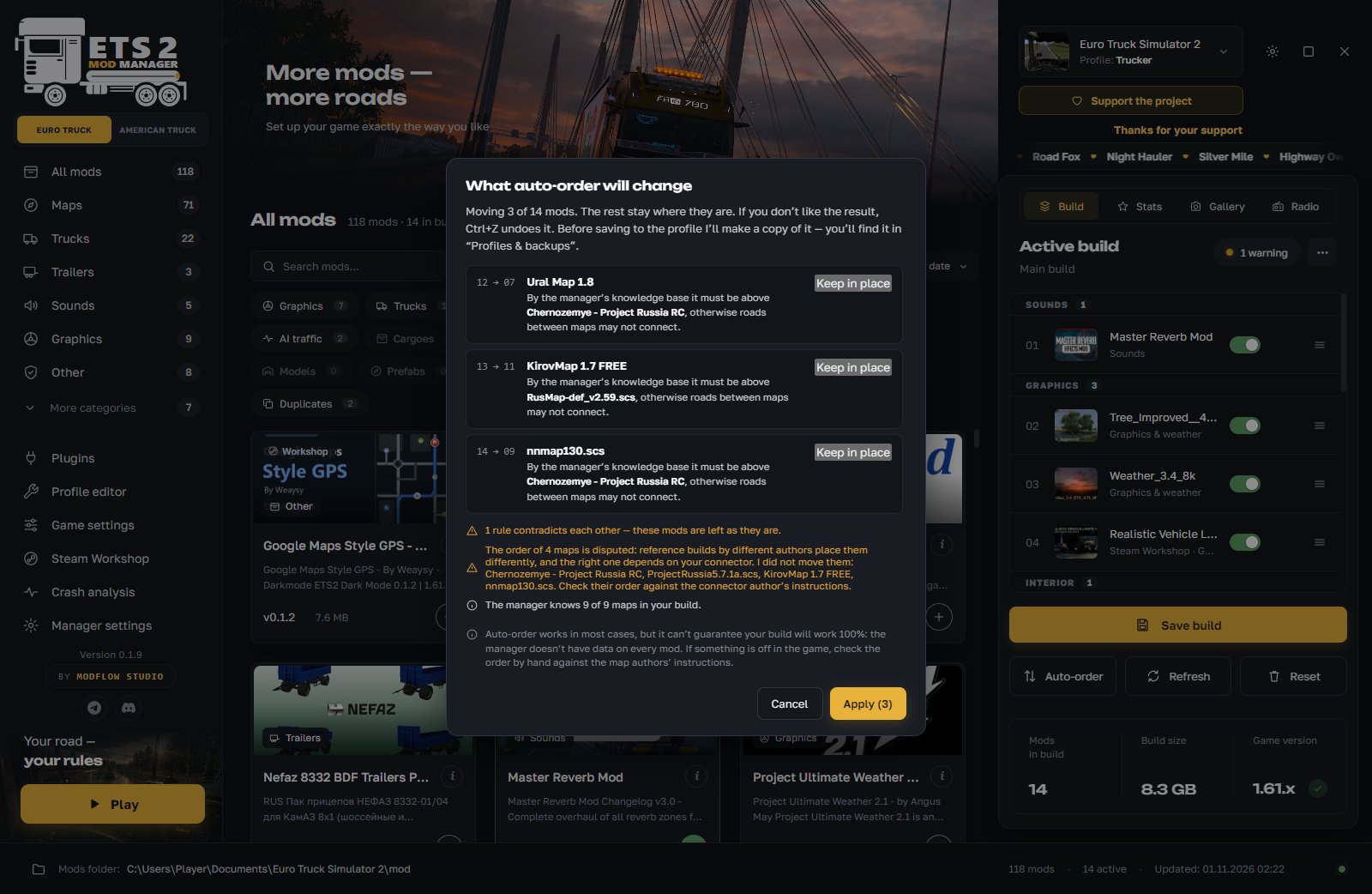
Auto-order with explanations
One button puts the mods in order. Before applying, you see what moves and why. You can leave any mod where it is and undo the result with Ctrl+Z. The manager takes into account map guides, mod contents and how other players most often arrange mods. It is a hint, not a guarantee: we do not promise a 100% working build.
Crash analysis in plain words
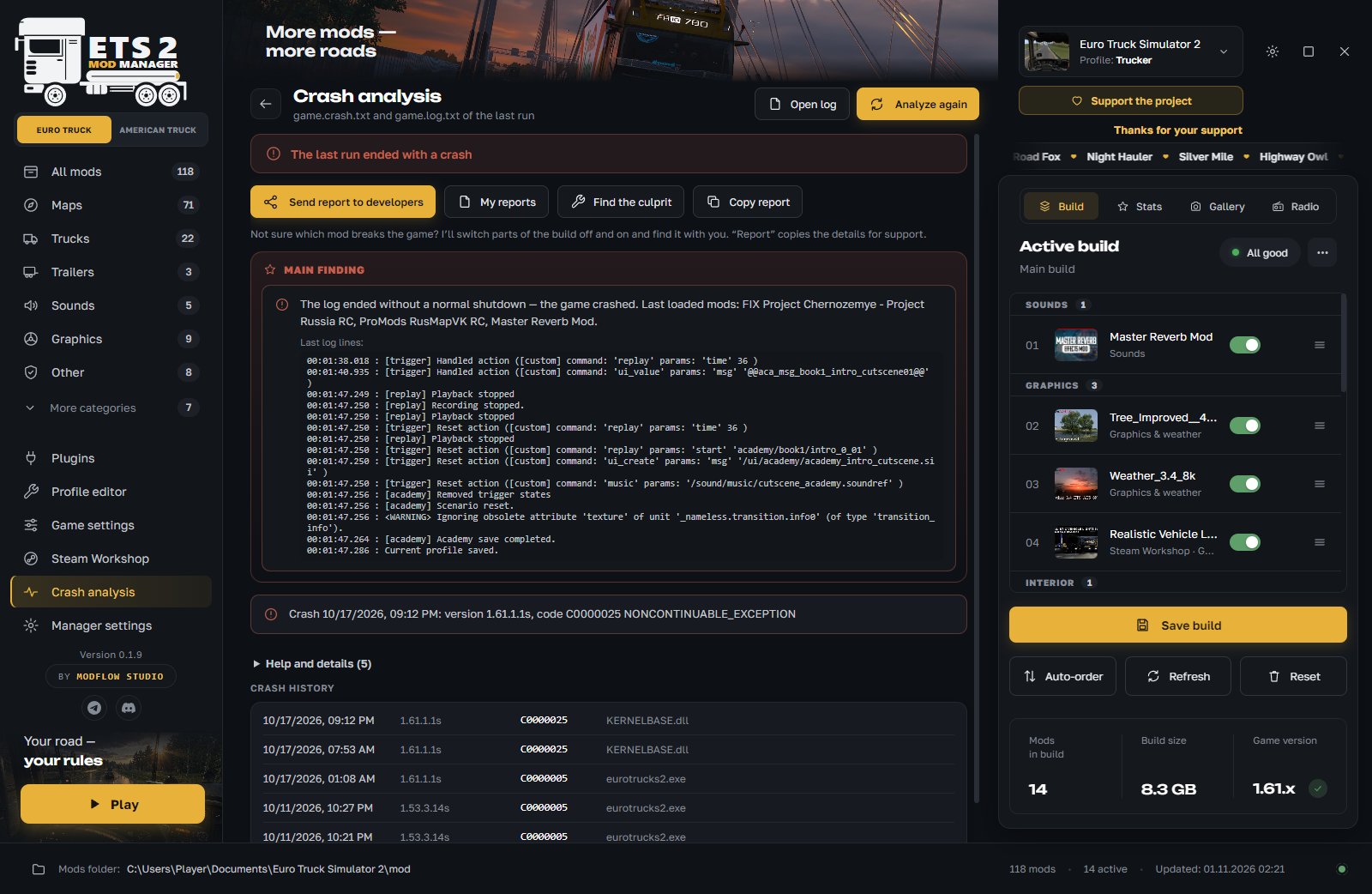
Reads the game logs and explains what broke: a mod, a plugin, a driver or low memory. “Find the culprit” turns parts of the build off one by one. You can send a report to the developers from the program, and the reply comes back into the manager.
All mods in one window
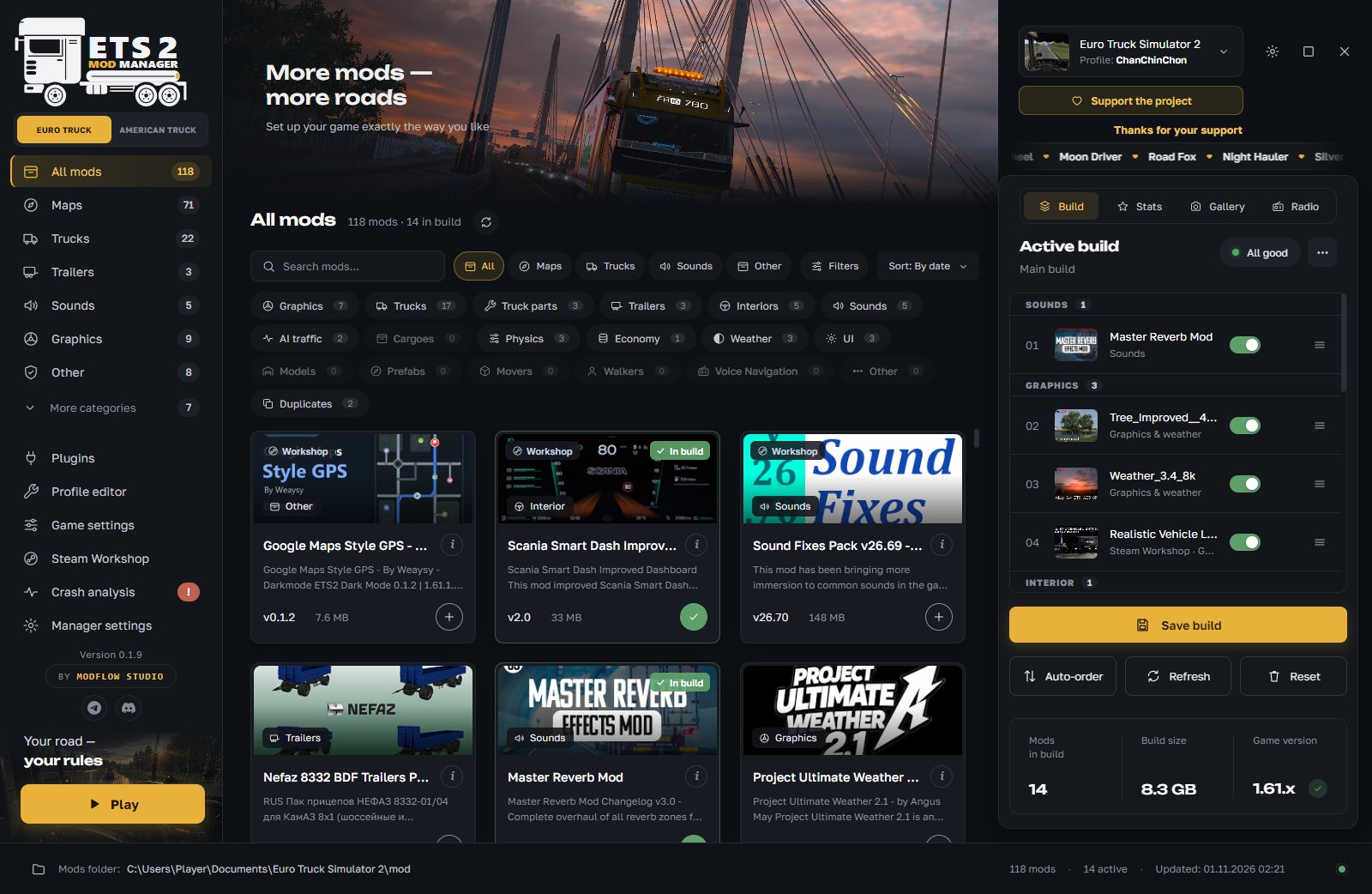
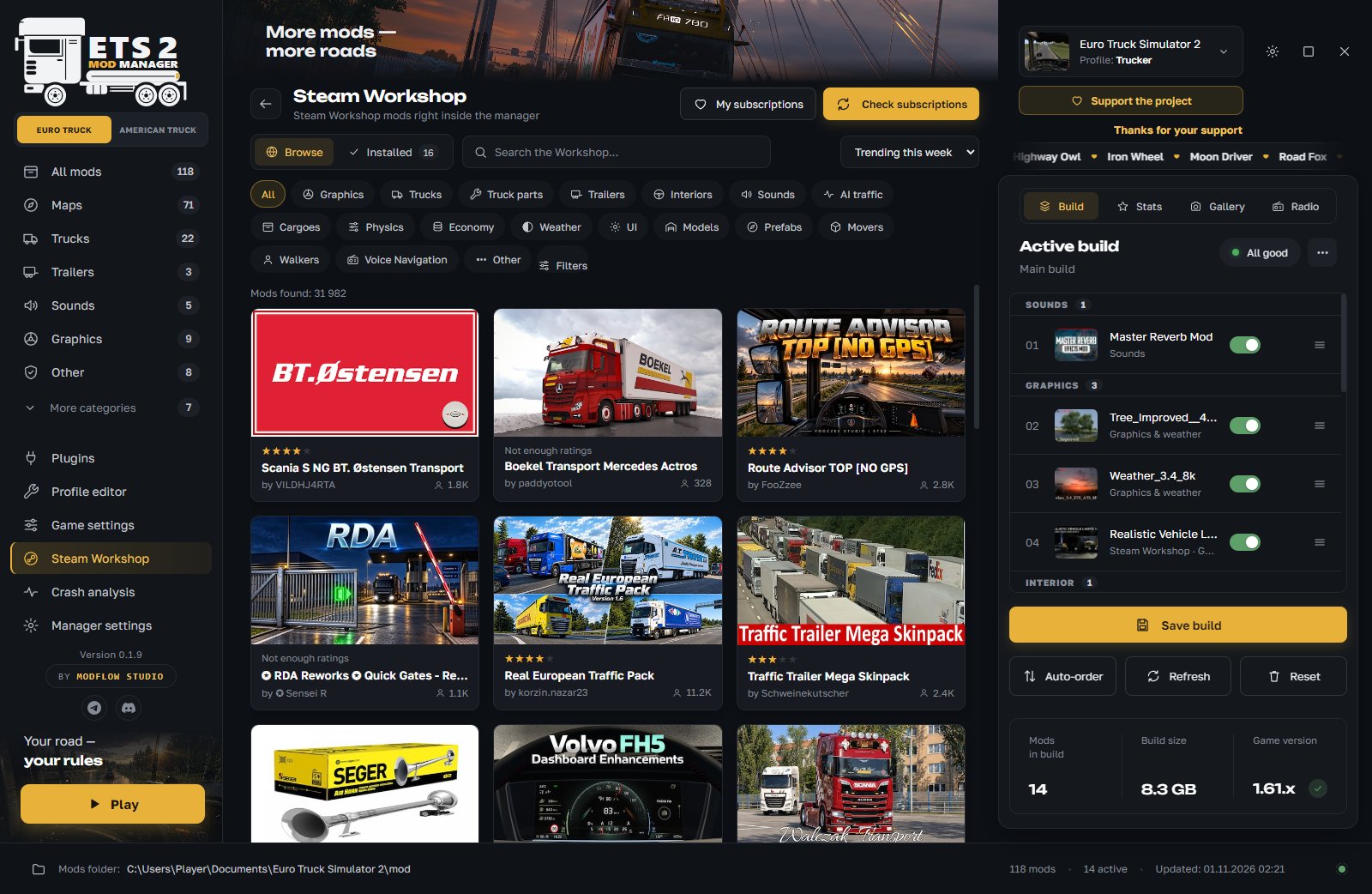
Mods from the mod folder and Steam Workshop: categories, search, pictures and descriptions. Install by dragging .scs, .zip or a mod folder.
Builds and checks
Save several builds and switch quickly. The manager warns you if a mod is not for your game version, a DLC is missing or files are duplicated. You can share a build as a .tmod file.
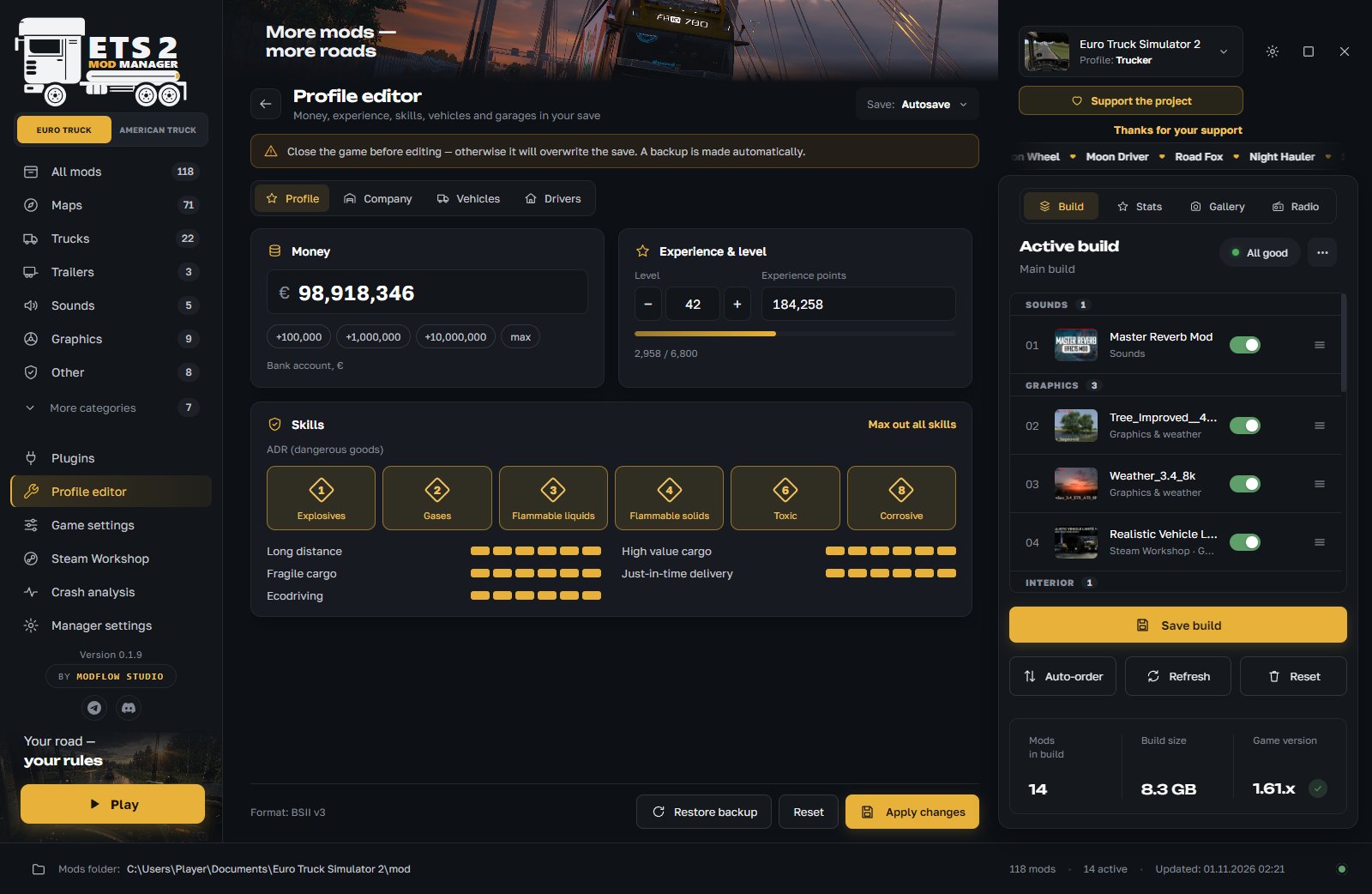
Profile editor
Money, experience, skills, ADR, repair and refuel, cities and garages. The manager makes a save backup before every edit.
Two games in one program
Euro Truck Simulator 2 and American Truck Simulator switch with one button, and each game has its own mods, profiles and builds. ATS support is still in development and may be unstable.
And much more
Game plugins, radio, profile statistics, a screenshot gallery, game settings (optimization and buffer size), a 3D truck viewer (trial version), notes and tags for mods, launching the game without mods.
Real program windows. Click a picture to enlarge it.
Catalog
All mods and your build side by side: add them with “+”, by dragging, or straight from Steam Workshop.
Auto-order
Before applying, you see what moves and why. Any mod can stay where it is.
Crash analysis
The main finding is on top, suspicious mods are visible at once and turn off with one button.
Steam Workshop
Steam Workshop inside the manager: search, categories, subscriptions.
Profile editor
Money, experience, skills, vehicles and garages. A save backup is made before editing.
01 / 05
About the studio
ModFlow Studio is a studio that makes programs for players. Our first project is ETS|ATS Mod Manager, a mod manager for Euro Truck Simulator 2 and American Truck Simulator.
We post update news, developer replies and help with mods in our channels. You can report a problem straight from the program.
Contact and support
Follow the news, ask questions and help the project.